iOS Barcode Scanner Keyboard Wedge for Datecs Linea Pro Sleds
For a Swiss logistics software provider, IRTECH built a native iOS app and custom scanner keyboard extension. It reads barcodes from Datecs Linea Pro sleds over External Accessory and types them directly into the focused text field of any unmodified target app.

Project Background
Warehouse, retail, and shipping teams often use iPhones mounted inside Datecs Linea Pro barcode sleds. Many ERP web interfaces in Safari and third-party business apps do not integrate the Datecs SDK directly.
The client needed a focused iOS keyboard wedge that sends hardware scans into any active text field without changing the target app, rolls out cleanly through Apple Business Manager and MDM, and never stores or transmits scan data.
Custom Keyboard Extension
UIKit Extension with Direct Sled Control
The software splits into a SwiftUI host app (setup guide, settings, connection test) and a lightweight UIKit keyboard extension. The keyboard connects to the Linea Pro sled when it opens and releases it when hidden, so other Linea apps on the same iPhone can keep using the hardware.
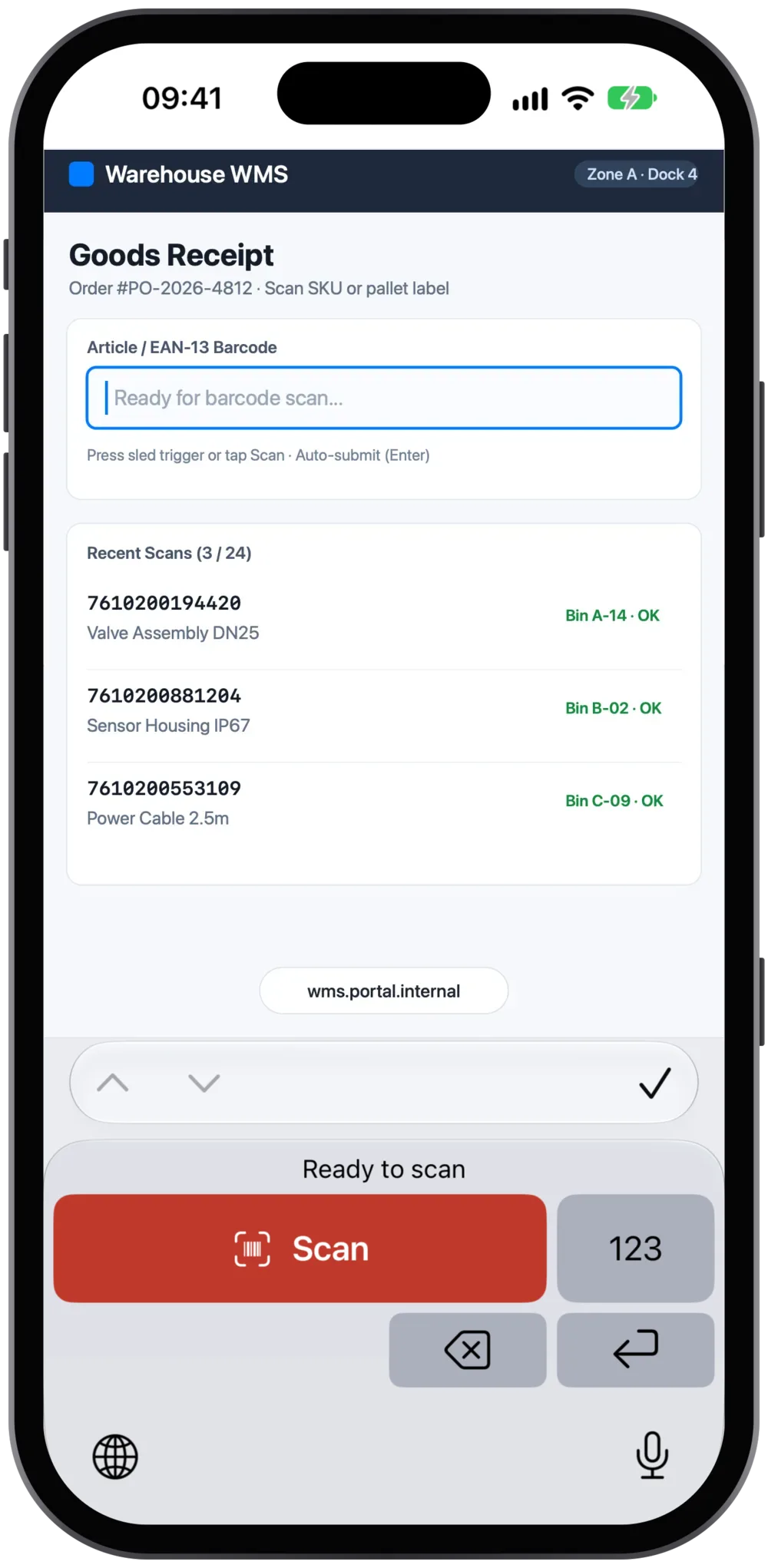
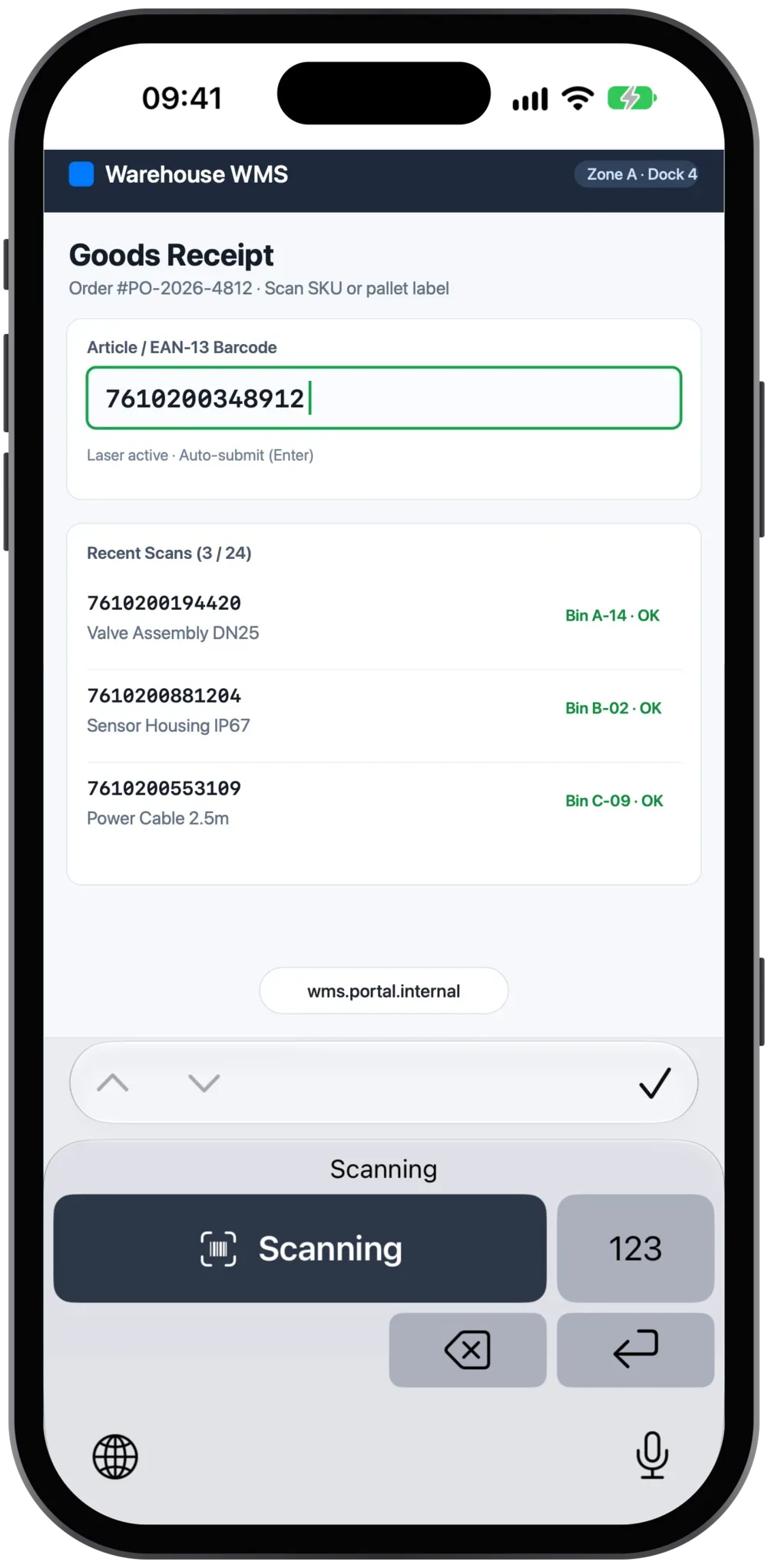
Alongside the main scan button, the keyboard provides a toggleable number pad, Backspace, Enter, and the globe key. Administrators or users can configure prefix text, optional AIM symbology identifiers, control character handling, suffix text, and a trailing Enter or Tab key.
- Sends Enter or Tab after a 100 ms pause so Safari submits forms instead of dropping a return key sent in the same call as the barcode
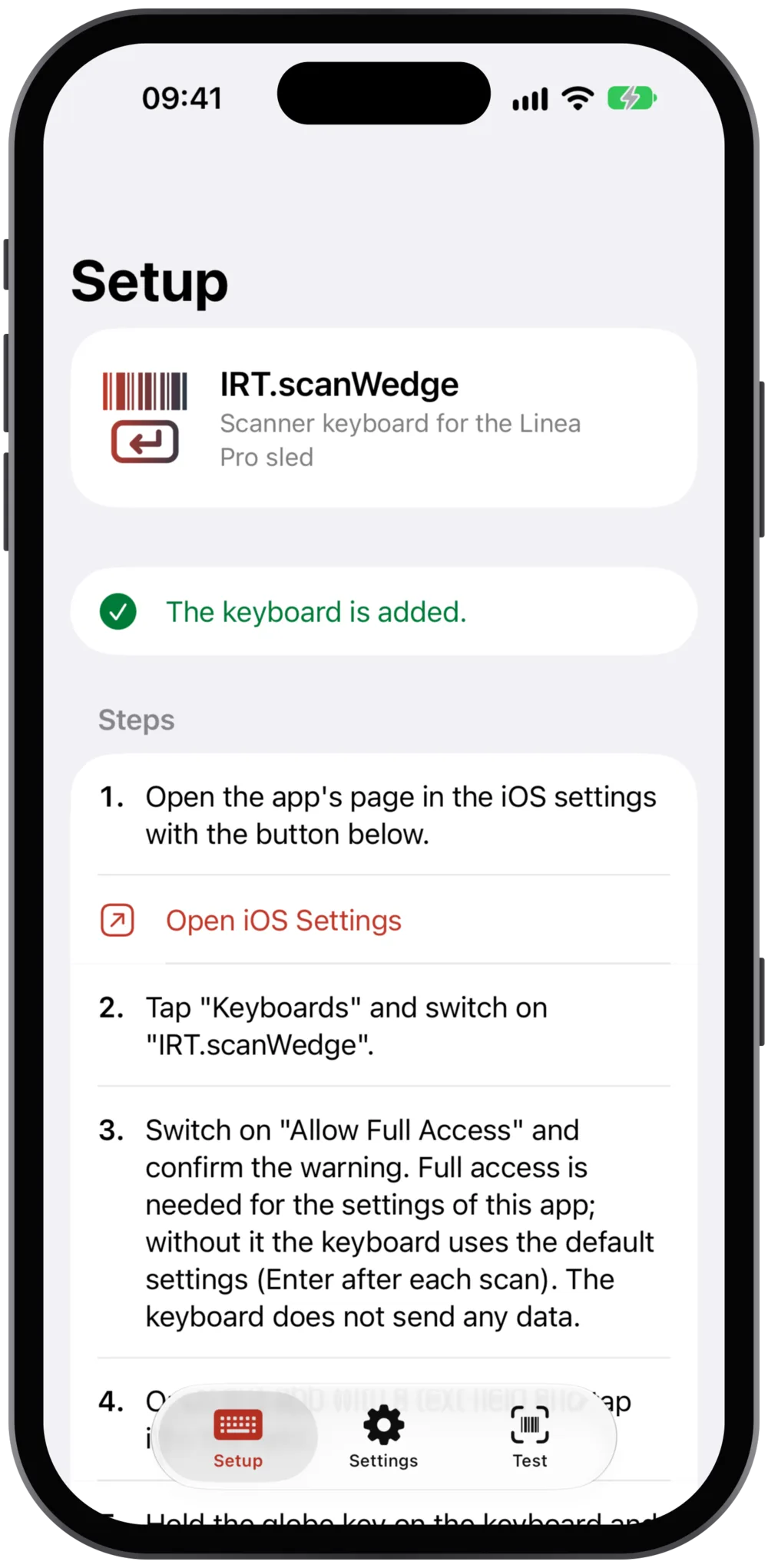
- Falls back to built-in defaults (Enter after each scan, beep on) if Full Access is not granted
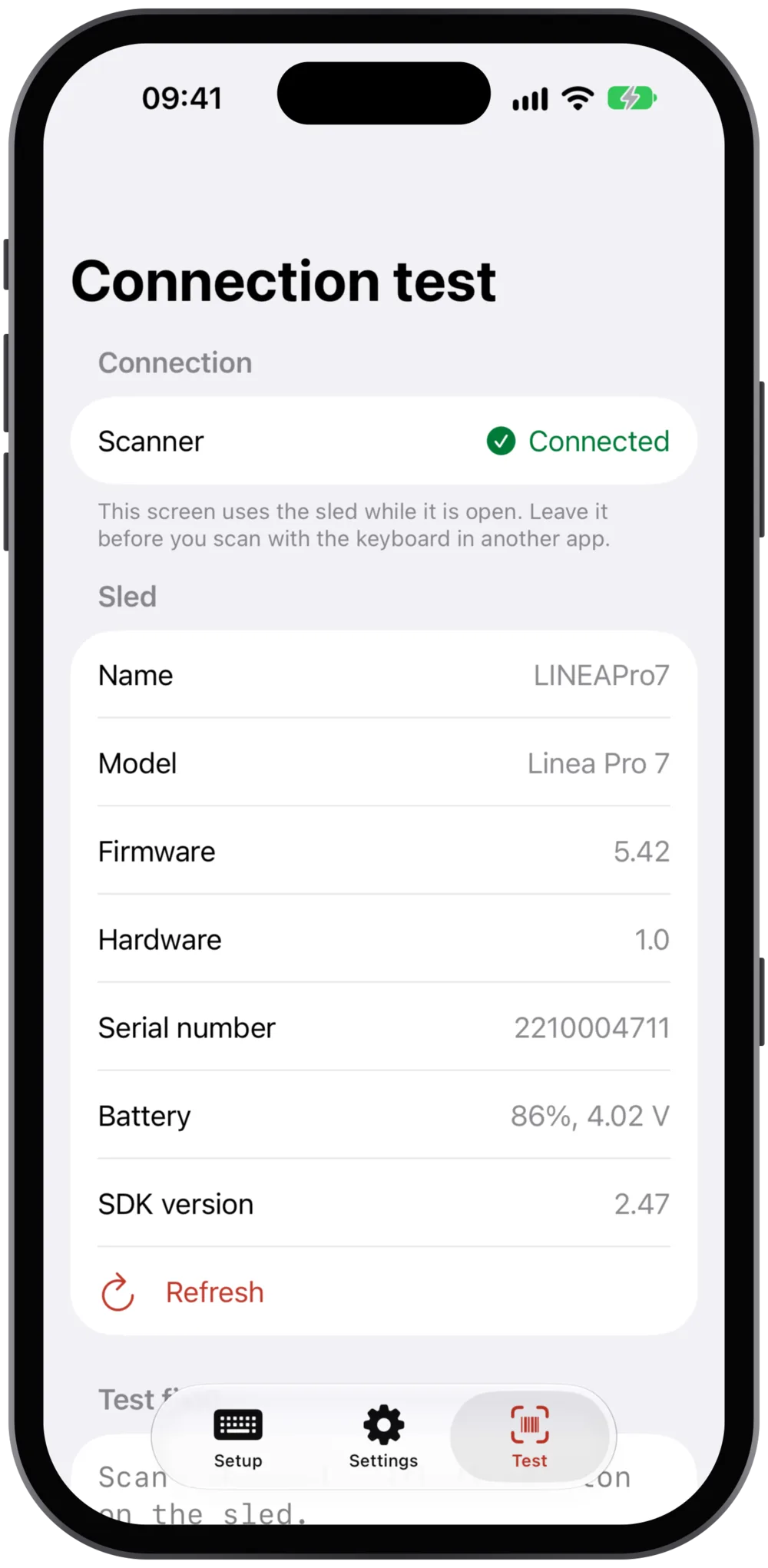
- Built-in connection test displaying sled model, firmware version, serial number, battery status, and SDK version

SDK Isolation, Testing & MDM Rollout
Settings storage, barcode transformation, and scan coordination live in two Foundation-only Swift packages with zero UIKit or SDK dependencies. Control character stripping, AIM identifiers, and connection states are verified by automated unit tests.
For managed device fleets, the app ships as a private Custom App via Apple Business Manager and MDM. Because iOS keyboard extensions cannot reliably read Managed App Configuration on their own, the host app reads the MDM keys, locks managed settings in the UI, and mirrors them into the shared App Group.
Offline Privacy by Design
The app contains no network code, no analytics, and no scan history. A privacy check script runs as part of the build pipeline and fails the build if network or logging calls appear anywhere in the host app, keyboard extension, or Swift packages.
Screenshots & UI Showcase
30 Minutes Directly with the Lead Architect
Tell us about your upcoming software project or mobile app idea.
In 30 minutes, we evaluate technical feasibility, architectural requirements, and a realistic budget – directly with our lead architect.

- Bring along
- Your project vision, requirements, or existing software stack and target platforms (iOS, Android, Garmin, Web).
- You leave with
- A solid feasibility assessment, clear architectural recommendations, and a realistic budget and roadmap.